 |
 Home > Tutorials > Basics > Home > Tutorials > Basics >
Creating a New Image |
|||
|
|
|||
PSP 5: 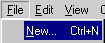 PSP 6/7: 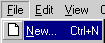 
|
Go to File || New or press Ctrl+N or click on the "New Image" button in your tool bar to open the "New Image" dialog box. |
|||
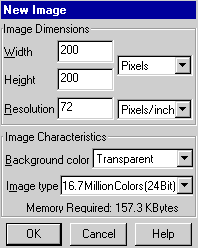 |
You change the Image Dimensions by clicking in the "Width" or "Height" box with your mouse and type the dimensions you want. There is a drop-down menu where you can choose from Pixels, Inches or Centimeters. The default is usually set to Pixels and is the one used in tutorials unless otherwise noted.
The Resolution can be changed like the Width and Height by typing the desired resolution you want to use for this image in this box. You can change the Image Characteristics by clicking on the drop down menu and making the desired selections. Click on OK when done. |
|||

