This section is where
you will find techniques to create great graphics using Paint Shop Pro.
©2000 This tutorial created
by Pedro
When you are finished
viewing this page,
|
|
This section is where
you will find techniques to create great graphics using Paint Shop Pro.
©2000 This tutorial created
by Pedro
When you are finished
viewing this page,
|



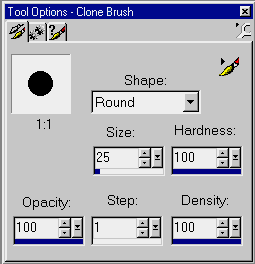
 and set the same background color you will use in your webpage and about
the size you will use of the original picture.
and set the same background color you will use in your webpage and about
the size you will use of the original picture.
 in this settings:
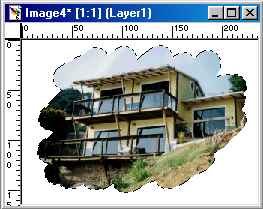

 and set the tolerance to zero, click in the background colour and then
invert the selection (you will end with the picture selected)
and set the tolerance to zero, click in the background colour and then
invert the selection (you will end with the picture selected)